
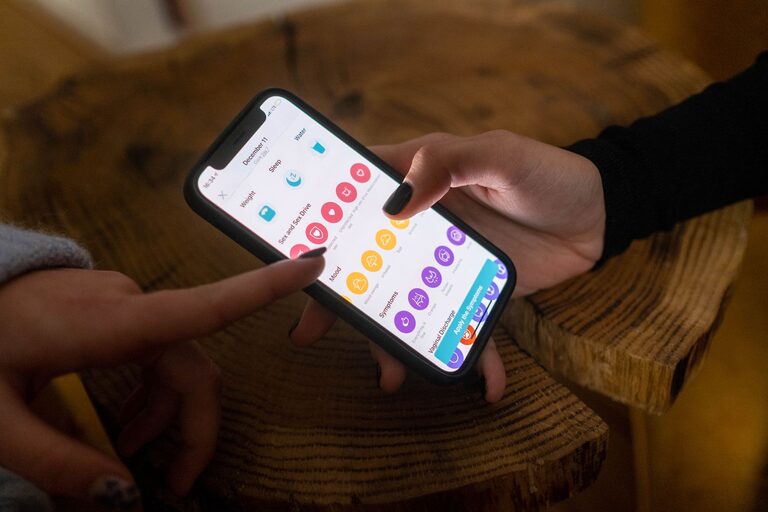
In today’s digital world, notifications are constant companions. From emails and texts to app alerts and social media pings, they can easily interrupt our day and steal our attention. While notifications keep us informed, too many can lead to stress, distraction, and decreased productivity. Setting clear boundaries with notifications is essential for managing your time and mental space better.
This post offers practical tips to help you regain control over your notifications, so you can stay focused and feel less overwhelmed.
Why It’s Important to Set Boundaries with Notifications
Notifications are designed to grab your attention immediately, but this often comes at the cost of disrupting your flow. Constant interruptions can:
– Increase stress levels
– Reduce productivity
– Impact mental well-being
– Make it harder to focus on important tasks
By setting boundaries, you create intentional spaces free from distractions, giving yourself the chance to work, relax, or connect meaningfully.
—
Tips for Setting Healthy Notification Boundaries
1. Audit Your Notifications Regularly
Start by reviewing which apps send you notifications. Ask yourself:
– Which notifications are truly important?
– Which can be turned off without missing out?
– Are some alerts redundant or infrequent enough to disable?
Taking time to clean up your notifications ensures only essential alerts reach you.
2. Customize Notification Settings for Each App
Not all notifications are equally urgent. Many apps allow you to customize the type and frequency of alerts. For example:
– Choose to receive only direct messages or mentions on social platforms.
– Limit email notifications to certain categories like important contacts.
– Turn off promotional alerts or non-urgent reminders.
Tailoring your settings minimizes unnecessary interruptions.
3. Use Do Not Disturb Modes Strategically
Most smartphones and computers have Do Not Disturb (DND) or Focus modes. These modes silence alerts except for those you specify as critical. Consider:
– Setting DND during focused work blocks
– Enabling it at night to protect sleep
– Allowing calls or messages from close contacts only
Using DND regularly supports clear boundaries between work, rest, and personal time.
4. Schedule Specific Times to Check Notifications
Instead of responding instantly, allocate dedicated times to review messages and alerts. For example:
– Check emails three times a day: morning, midday, and late afternoon
– Review social media during breaks or after work hours
– Respond to texts when convenient rather than immediately
This habit reduces constant distraction and improves time management.
5. Turn Off Notifications on Less Critical Devices
If you have multiple gadgets—smartphone, tablet, laptop, smartwatch—decide which devices should show notifications. For instance:
– Keep urgent alerts on your phone, but disable them on your tablet during work hours
– Mute social media notifications on your smartwatch to avoid constant buzzes
Limiting notifications to one or two devices decreases the chance of being bombarded.
6. Create Physical and Digital “Quiet Zones”
Establish locations or periods where notifications are silenced or ignored. Ideas include:
– A “no phone” rule during family meals or social gatherings
– Putting devices in another room when focusing on a task
– Using apps that block notifications during writing or studying
Quiet zones help you be more present and productive.
7. Communicate Your Boundaries Clearly
If colleagues, friends, or family expect instant replies, share your notification boundaries openly. Let them know:
– Your typical response windows
– Preferred ways to reach you for urgent matters
– When you’re offline or unavailable
Clear communication helps manage expectations and respect your boundaries.
—
Bonus: Helpful Tools to Manage Notifications
If you want extra support, consider these tools:
– Built-in Focus Features: Both iOS and Android offer Focus modes to customize alerts.
– Notification Management Apps: Apps like “Offtime” and “Forest” help limit distractions.
– Email Filters and Rules: Set automated filters to organize or delay non-urgent emails.
Experiment with what works for you and your lifestyle.
—
Final Thoughts
Notifications are part of modern life, but they don’t have to control your attention. Setting boundaries with notifications helps you reclaim focus, reduce stress, and enjoy your time more fully. By auditing settings, scheduling check-ins, and communicating limits, you can create a healthier balance between staying informed and maintaining peace of mind.
Start small with one or two of these tips and gradually build habits that work best for you. Your brain—and your schedule—will thank you!
About the Author