Creating a relaxing home workspace is essential for anyone working remotely or spending long hours at a desk. A calm and organized environment can improve your focus, reduce stress, and even increase creativity. If your current workspace feels cluttered or uninspiring, don’t worry — small changes can make a big difference. This guide will walk you through practical steps to design a comfortable, peaceful workspace right at home.
Why a Relaxing Workspace Matters
Your surroundings have a strong impact on how you work. A cramped, noisy, or cluttered space may leave you feeling overwhelmed or distracted. On the other hand, a well-arranged, relaxing workspace can help you:
– Concentrate better
– Maintain a positive mood
– Manage stress
– Increase overall productivity
Setting up a dedicated space that feels inviting and peaceful encourages consistent work habits and makes it easier to separate work time from relaxation.
Choose the Right Location
Find a Quiet Spot
Look for a place in your home where interruptions are minimal. This might be a spare room, a corner of the living room, or even a section of your bedroom. Avoid areas near busy doors, noisy appliances, or heavy foot traffic.
Consider Natural Light
Natural light boosts mood and energy. Position your desk near a window if possible. But avoid glare on your computer screen by angling your desk or using blinds to control sunlight.
Evaluate Space Needs
Make sure you have enough room for your desk, chair, and any equipment you use regularly. A cramped space can quickly feel stressful.
Equip Your Workspace Thoughtfully
Choose Comfortable Furniture
Ergonomics are key to comfort and relaxation:
– Desk: Select a desk with enough surface area to organize your work materials without clutter.
– Chair: Invest in an adjustable chair with good lumbar support to prevent back pain.
Organize with Purpose
Clutter can distract and stress you out. Use storage solutions like shelves, drawers, and organizers to keep supplies within reach but out of sight. Labeling containers helps maintain order over time.
Add Calming Elements
Incorporate items that help you feel relaxed:
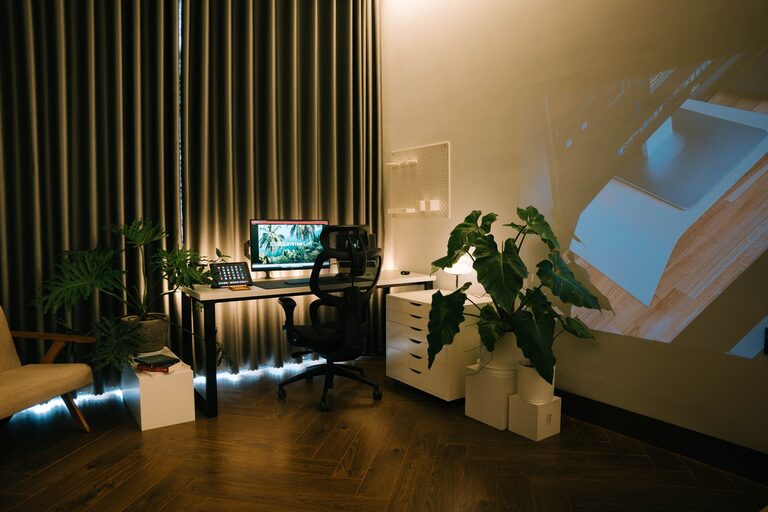
– Plants: Indoor plants improve air quality and create a calm atmosphere.
– Soft lighting: Use lamps with warm light bulbs to reduce harsh overhead lighting.
– Personal touches: Add photos, artwork, or objects that inspire you without overwhelming the space.
Manage Noise and Distractions
Use Noise Control Options
Try to minimize background noise that disrupts your focus:
– Noise-canceling headphones: Great for blocking out household sounds.
– White noise machines or apps: These help neutralize sudden noises.
– Soft music or ambient sounds: Choose calm playlists or nature sounds if music helps you concentrate.
Set Boundaries with Others
If you share your living space, communicate your work hours and workspace boundaries clearly to reduce interruptions.
Maintain a Relaxing Workspace Daily
Develop a Routine
Start your day by tidying your workspace. A clean environment signals your brain it’s time to focus.
Take Breaks Mindfully
Step away regularly to stretch or rest your eyes. Use this time to refresh your mind and avoid burnout.
Keep Air Fresh and Comfortable
Open windows or use air purifiers for fresh air. Adjust room temperature so it feels comfortable and not too hot or cold.
Simple Upgrades to Enhance Relaxation
– Aromatherapy: Use essential oil diffusers with calming scents like lavender or eucalyptus.
– Desk accessories: Consider supportive wrist rests or ergonomic keyboard and mouse setups.
– Color choices: Choose soothing paint colors or accessories in shades like soft blues, greens, or neutrals.
Final Thoughts
Creating a relaxing home workspace is a blend of setting up the right environment and maintaining good habits. Focus on comfort, organization, and atmosphere to build a space that supports your best work. With a few thoughtful changes, your home workspace can become not just a place to work but a space to feel refreshed and motivated every day.
About the Author